

Guide: Your Inventory
The hotbar, the bag, item actions, presets and more room: everything about what you carry.
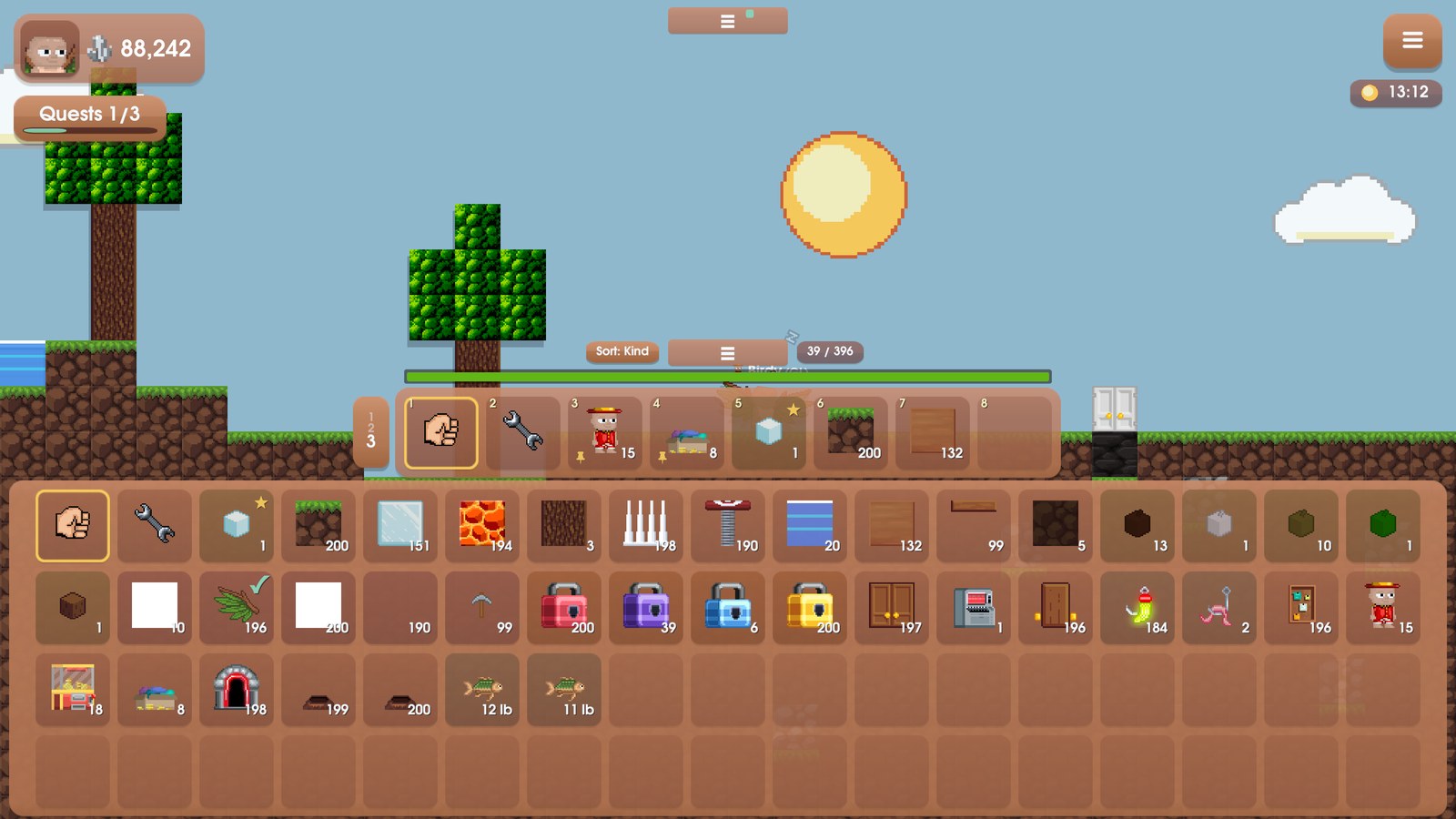
Everything you carry lives in two places: the hotbar at the bottom of the screen, and the bag that slides out under it. Here is how both work.
The hotbar
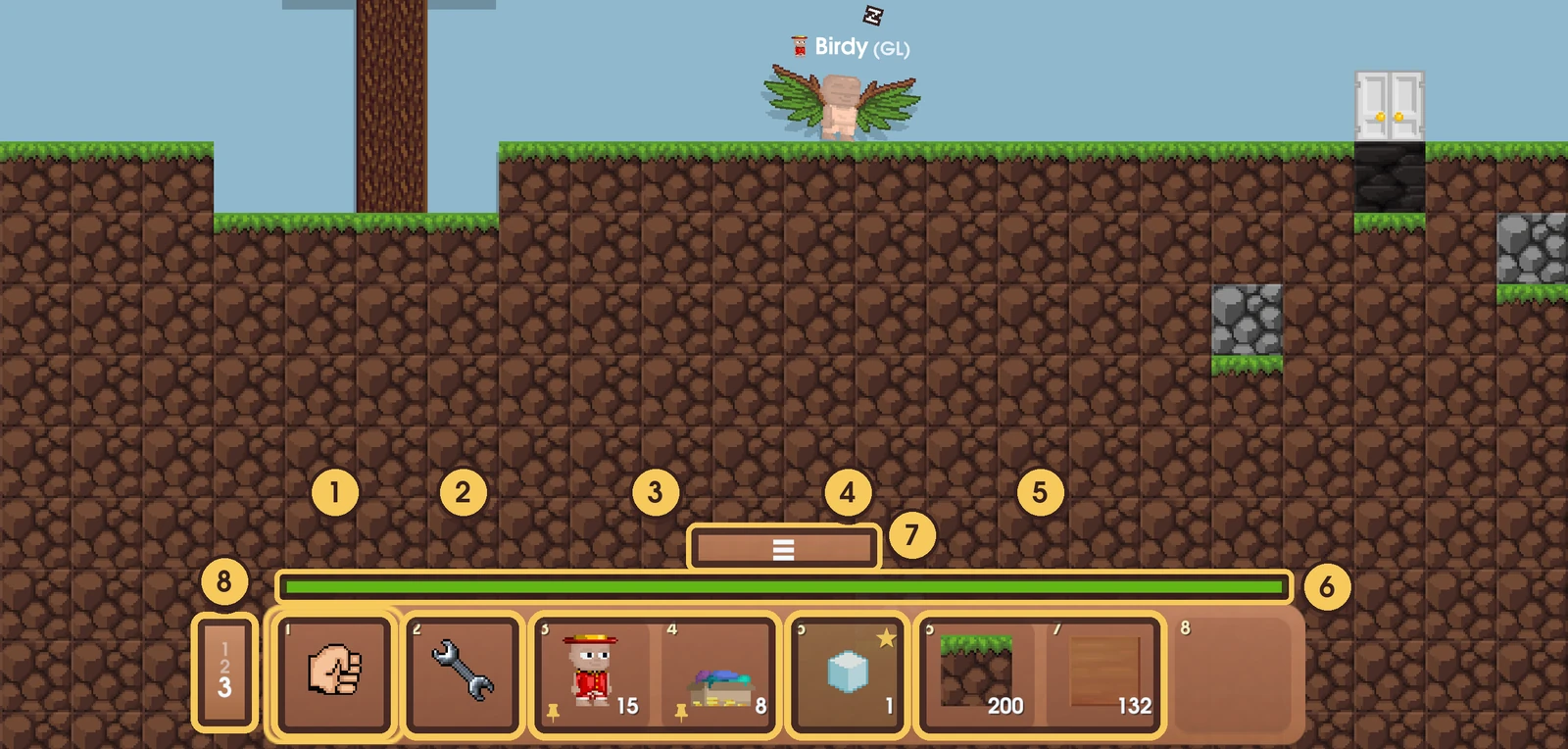
- Fist. It is always the first slot. With the fist in hand, a click punches. Press F to grab it at any time.
- Wrench. It is always the second slot. Use it on doors, signs and locks to change their settings.
- Pinned items. A small pin in the corner means this place on the hotbar belongs to that item. See Presets and pins below.
- Favourites. A star in the corner. Starred items fill the free slots first.
- Recent blocks. The rest of the hotbar fills itself with what you picked last, so the things you use stay close.
- Health bar. Green when you are fine, then yellow, then red.
- The grip. Tap it to open or close your bag, or drag it.
- Preset switch. You have three hotbar layouts. Tap this to flip between them, or press Tab.
Press 1 to 8 to pick the slot with that number; each slot shows its number in the corner. With a block selected, click a tile to place it.
Your bag
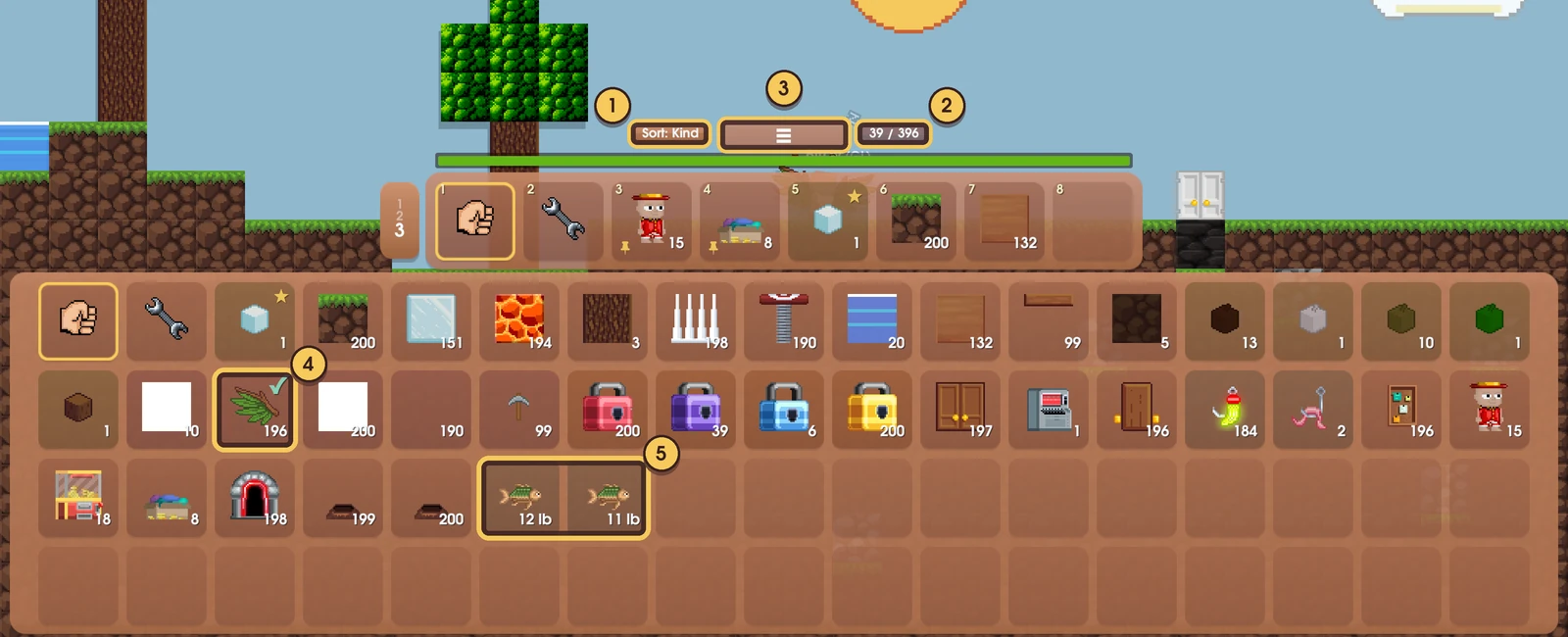
- Sort. Tap it to sort by kind or by rarity.
- Slots used. "39 / 396" means 39 slots are used out of 396.
- The grip. Tap it again to close the bag.
- A check mark means you are wearing that item.
- Fish each take their own slot and show their weight.
Each kind of item takes one slot, and one slot holds up to 200. Gems never take up room: they go straight to your gem counter.
Item actions
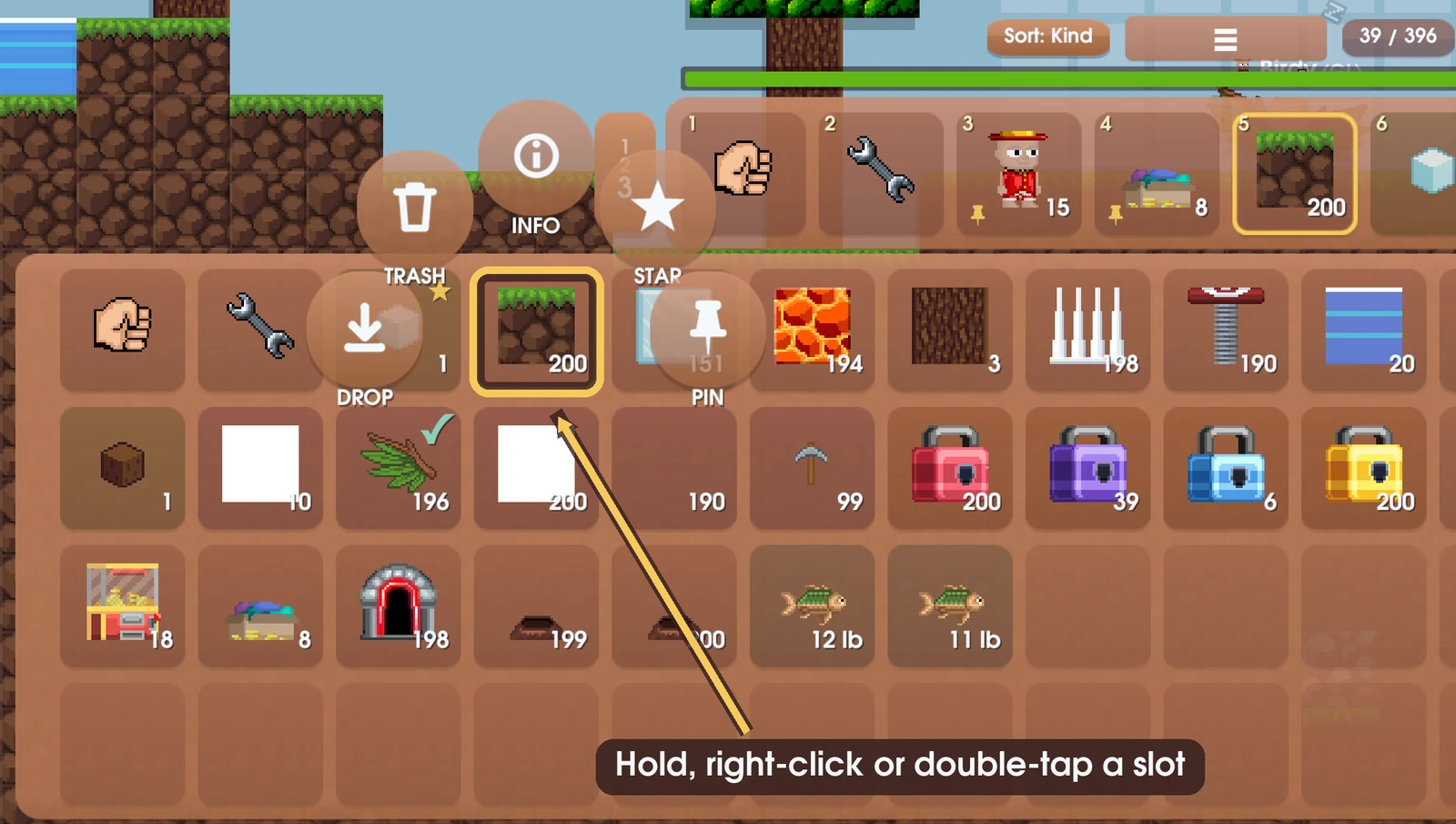
Hold a slot, right-click it, or double-tap it to open its actions:
- DROP puts some of it on the ground. Anyone can pick up what is on the ground.
- TRASH destroys it for good. There is no undo.
- INFO tells you about the item, including which two seeds grow it.
- STAR marks a favourite. Favourites lead your bag and fill the hotbar's free slots.
- PIN gives a block a fixed place on your current hotbar preset.
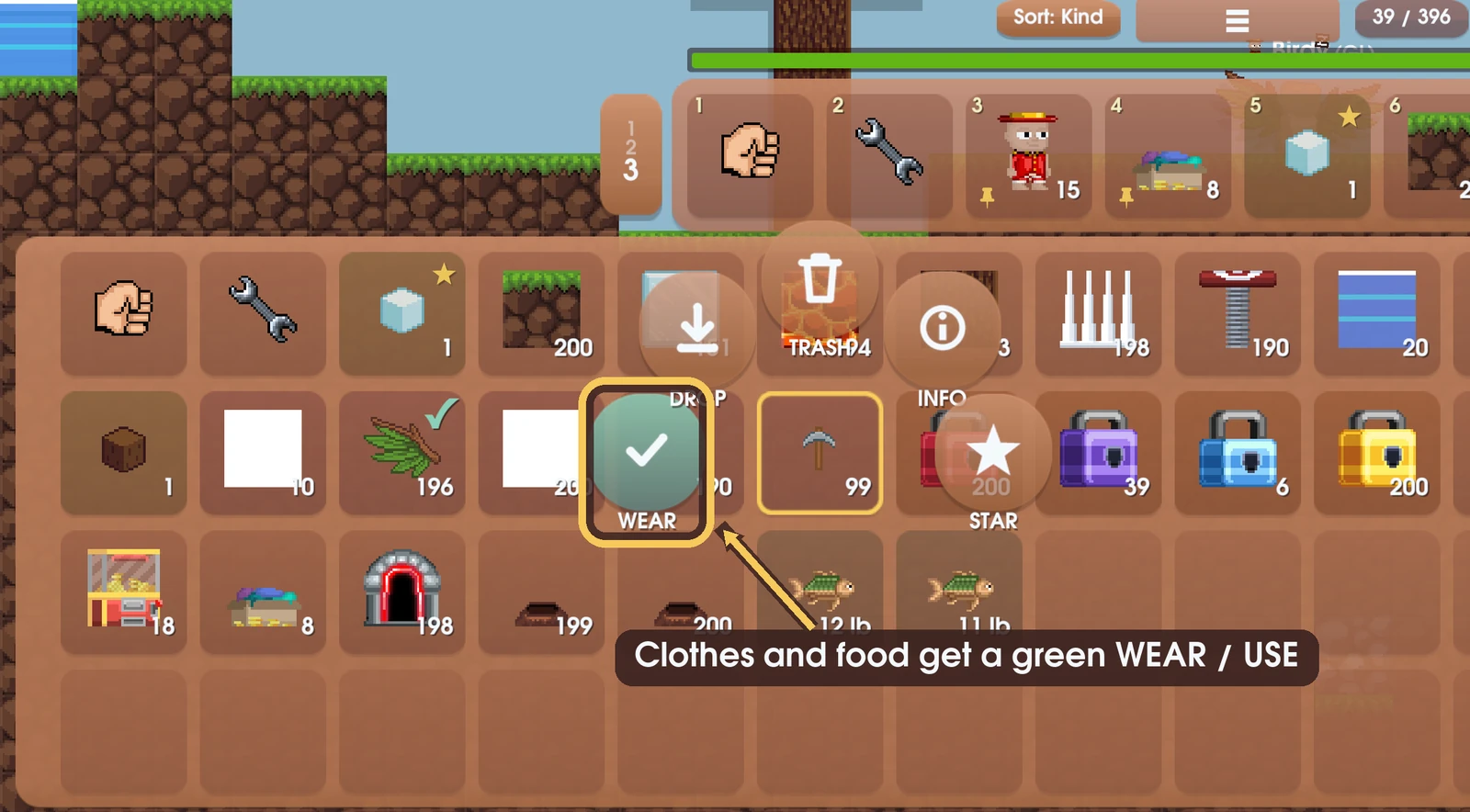
Clothes get a green WEAR button. Things you use on yourself, like food and drinks, get USE. The fist and the wrench only have INFO.
Dropping and trashing
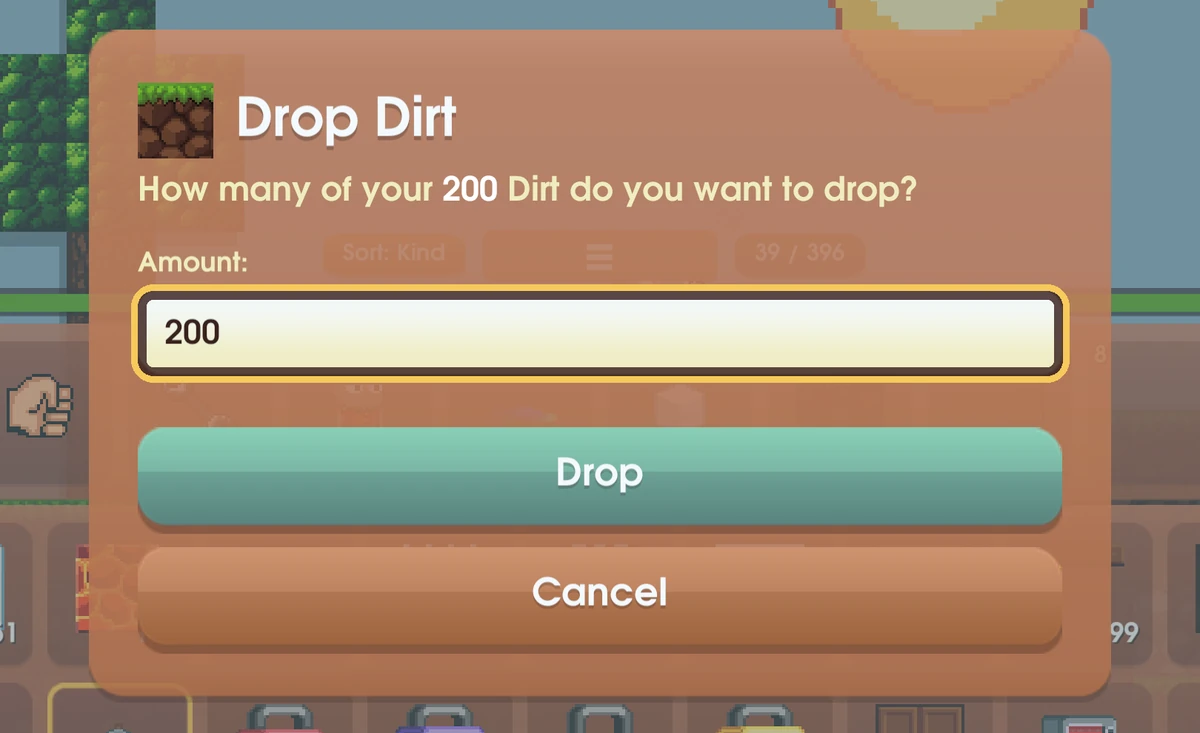
Both DROP and TRASH ask how many. The box starts at your whole stack, so change the number if you want to keep some. A fish always goes whole, so you are only asked yes or no.
Presets and pins
You have three hotbar presets, and each one remembers its own pins. Keep one for building, one for farming, and one for whatever you like. Switch between them with the tab next to the hotbar, or with Tab.
If you run out of a pinned item, its place stays on the hotbar, faded, so your layout never shifts. Tap the faded slot to unpin it.
Pins, stars and your sort order are saved on your device, for your account.
More room
Your bag starts with 16 slots. Each Backpack Upgrade adds 10 more, up to 396. Buy one from the Store, or tap the gold + at the end of your bag. The first one costs 100 gems, the next 200, then 500, then 1,000, and the price keeps climbing from there.
Picking things up
Walk over items on the ground to pick them up. If your bag is short of room, you take what fits and the rest stays where it is.
Make it fit your screen
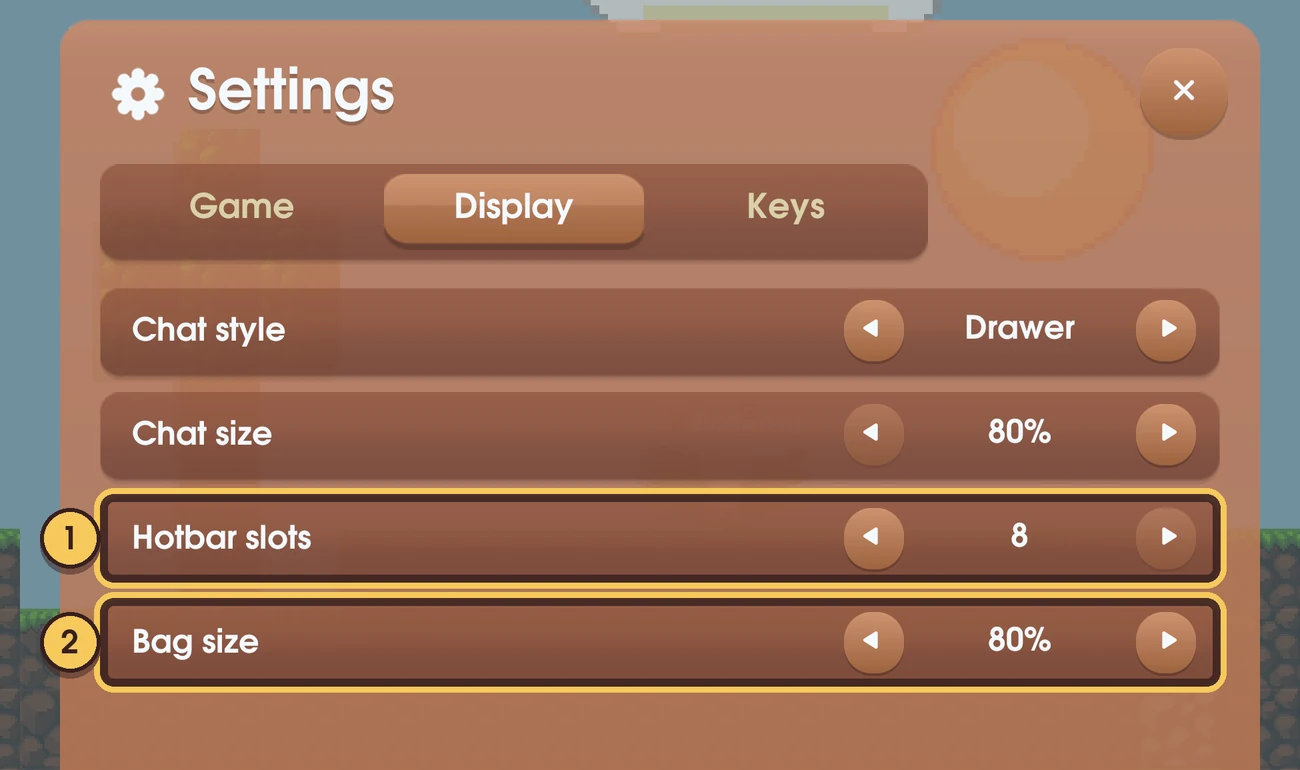
Open Settings and go to Display:
- Hotbar slots sets how long your hotbar is, from 5 to 8.
- Bag size makes the bag bigger or smaller, from 50% to 140%.
The keys for the fist (F) and for presets (Tab) can be changed under Settings → Keys.